In the age of digital photography, we have thousands of photos, but rarely the perfect one. We have a great shot of the kids, a separate one of the grandparents, and maybe a selfie of ourselves. But getting everyone into a professional studio at the same time? That’s a challenge of logistics, mood, and timing.
Today, I’m sharing a workflow that bridges that gap—using AI to create a Fine-Art Family Legacy Portrait from separate reference photos.
The Vision: Timelessness over Trends
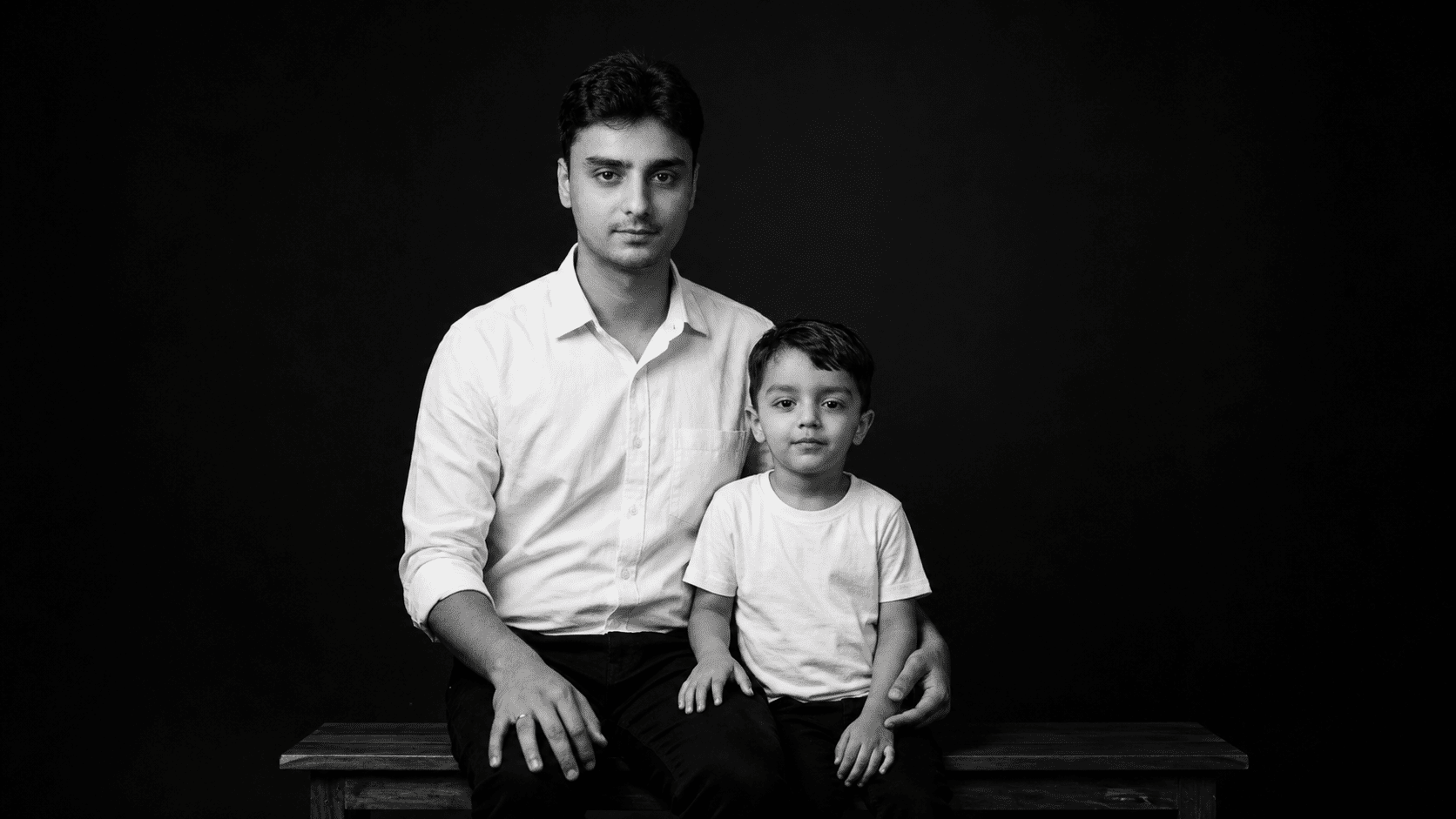
The goal wasn’t just a “face swap.” The goal was to create a piece of art. By choosing a monochrome (B&W) palette and a minimalist black background, we strip away the distractions of colorful patterns and modern interiors. What remains is the lineage: the shared eyes, the similar smiles, and the connection between generations.
Prompt:
Reimagine the uploaded photo into a black-and-white fine-art studio portrait of a father and his 5-year-old son. Maintain identical faces and proportions. Both wear plain white shirts and black trousers, seated close together with relaxed poses. The background is a minimal black studio with subtle directional light emphasizing contours and expressions. Render in ultra 8K clarity, highlighting realism, emotion, and contrast.
The “Fine-Art” Recipe
To achieve this look, specific keywords are essential. If you are experimenting with generative AI, these are the “secret ingredients” for your prompt:
1. The Lighting (The ‘Chiaroscuro’ Effect)
Standard photos are often flat. To get that “gallery” feel, use keywords like Directional Lighting or Subtle Contours. This creates shadows that define the jawline and give the portrait three-dimensional depth.
2. The Uniformity
To make separate photos feel like they were taken in the same room, you must standardize the wardrobe.
Keywords:
Plain white shirts,Black trousers,Texture-free fabric.Why: This draws all focus to the faces and creates a clean, unified aesthetic.
3. The Technical Polish
For that professional “glass” look, you need to push the resolution.
Keywords:
8K Clarity,Photorealistic,Micro-expressions,Sharp focus.
From Snapshots to Studio
The most powerful part of this process is Lineage Preservation. By instructing the AI to maintain Strict Facial Proportions, we ensure the soul of the original photo remains intact.
The result is a “Family Tree” portrait that feels heavy with history but light on the clutter of the modern world. It’s not just a photo; it’s a digital heirloom.
Pro-Tip for Blog Readers: When prompting, always specify “Minimalist Black Background.” This forces the AI to spend more “processing power” on the skin textures and lighting of the subjects rather than rendering a complex room.