
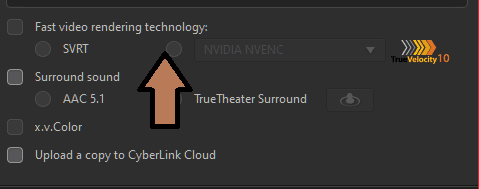
Today i will provide a solution for fixing Grayed out “Fast video rendering technology” problem in Cyberlink Power Director Video Editor.
Cause of Error:
it happens when your Pc Shuts Down unexpectedly in the middle of Rendering Process.
The Solution for this problem resides in Windows Registry
Computer\HKEY_CURRENT_USER\Software\CyberLink\CES_FunctionLogger\DATA
Step1:
Press Windows Key+R
It Will Open The Run Dailog:
Once Open Type “regedit to open Registry Editor:

Step2:
goto HKEY_CURRENT_USER

Step3:
Select Software

Step4:
Select Cyberlink -> CES_FunctionLogger -> DATA

Step5:
On The Right Side you will see a list of your encoding Presets:
select The One which has a Data Value of “1” double click on it and change it to “0”
 ”
”
Step6:
Close The Registry Editor and Reopen Power Director fast rendring will be Enabled now
