If you manage a website, blog, or online store, image format directly affects performance. Two of the most commonly used formats are WebP and PNG. While both support high-quality visuals and transparency, they differ significantly in compression efficiency, file size, and use cases.
This article explains the technical differences and when to use each format.
1. Compression Method
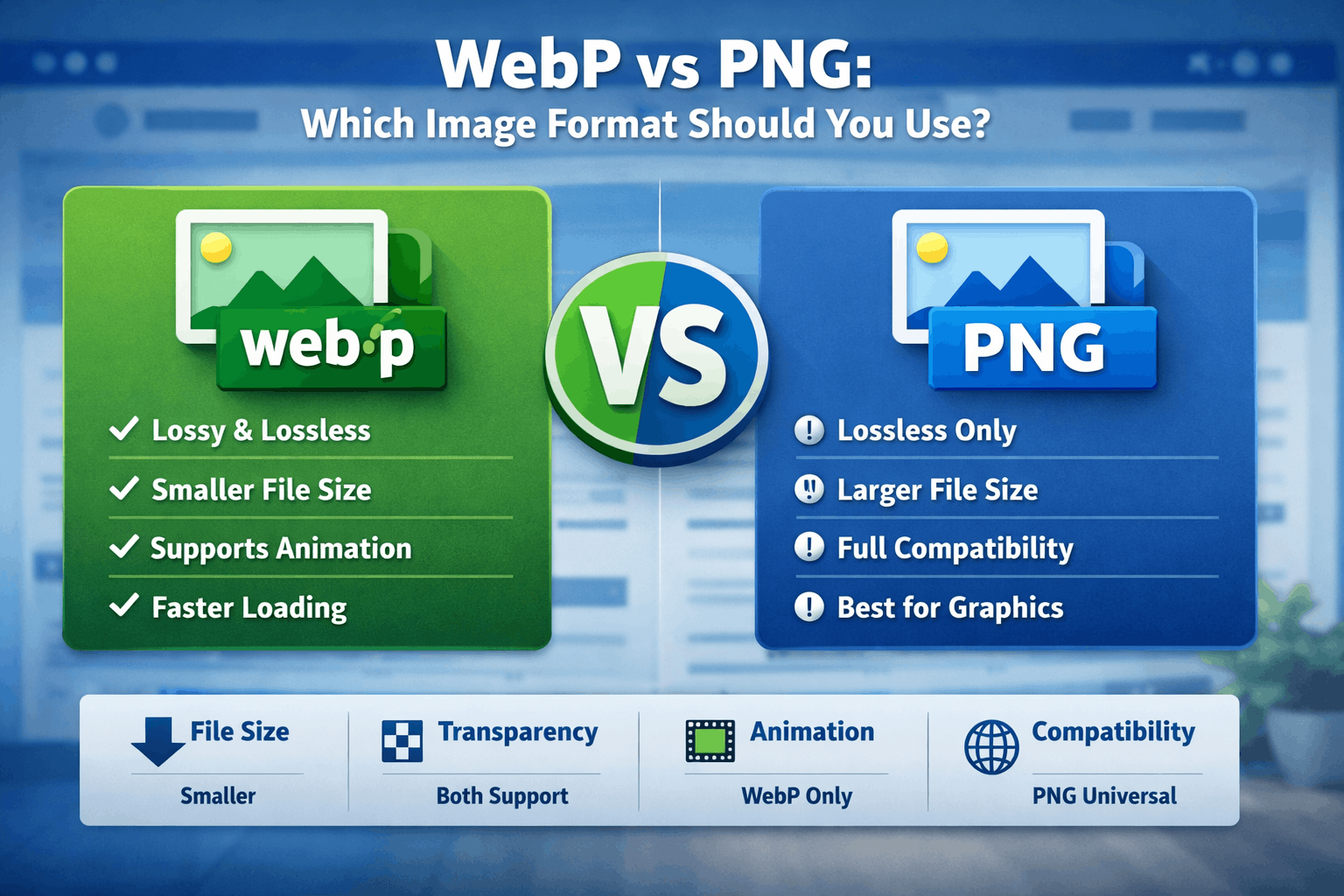
PNG uses lossless compression only. This means no image data is lost during compression. The image quality remains identical to the original, but file sizes can be large.
WebP, developed by Google, supports both lossless and lossy compression.
Lossy WebP reduces file size by discarding some data (similar to JPEG).
Lossless WebP preserves image data while still often producing smaller files than PNG.
This flexibility gives WebP a performance advantage for web publishing.
2. File Size and Website Speed
In most cases:
WebP files are 25–35% smaller than equivalent PNG files (sometimes more).
Smaller files improve page load speed.
Faster loading improves user experience and SEO rankings.
If website performance is a priority, WebP is typically the better option.
3. Transparency Support
Both PNG and WebP support transparent backgrounds (alpha channel).
PNG has long-standing, universal support for transparency across all platforms and design tools. WebP also supports transparency, including in lossy mode, which makes it efficient for modern websites.
For transparent logos and UI elements, both formats work well.
4. Animation
PNG does not natively support animation (except APNG, which is not universally adopted).
WebP supports animation and often produces smaller animated files compared to GIF.
This makes WebP more versatile for modern web use.
5. Compatibility
PNG is universally supported by:
All browsers
All design software
All operating systems
WebP is supported by all modern browsers, but some older software and legacy systems may not recognize it.If maximum compatibility is required (e.g., client file delivery), PNG is safer.
When Should You Use PNG?
You need perfect, lossless quality.
You are sharing files for design or print.
Universal compatibility is required.
You are working with simple graphics or logos.
When Should You Use WebP?
You want faster website loading.
You need smaller file sizes.
You are optimizing for SEO.
You need animation with better compression than GIF.
Final Recommendation
For modern websites and blogs, WebP is usually the more efficient choice due to smaller file sizes and better performance.
PNG remains relevant for design workflows, archival quality, and maximum compatibility.
If your goal is website speed and optimization, WebP should be your default. If your goal is reliability and universal support, PNG remains dependable.
For most bloggers and web developers, the best approach is simple: use WebP for the web, and keep PNG for source files.